Android Users Get Native Support for Keeping COVID-19 Vaccine Certificates
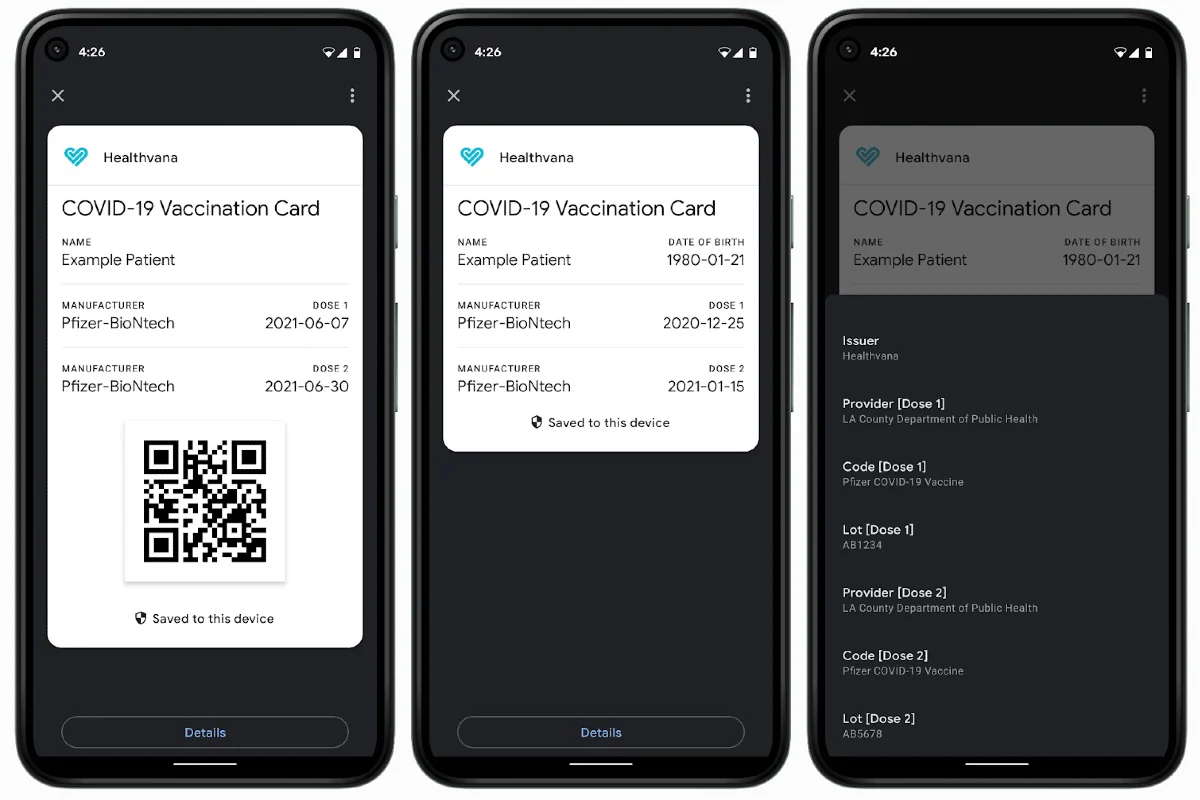
Google has updated its passes system to let Android users store and access a digital copy of their COVID-19 vaccination and test certificates through a dedicated card. Called COVID Card, the new feature will be initially rolling out in the US, followed by other countries. Users will not be required to install any particular app to store or access the digital card on their devices. However, government agencies, healthcare organisations, and public health authorities that are authorised to distribute vaccines and conduct tests for COVID-19 will need to use Google’s Passes APIs to enable users with the digital version of vaccination and test certificates.
The COVID Card will show information such as the name of your vaccine and when you took its first and second doses. It will also provide details on COVID-19 tests.
Google has enabled the new experience by updating its Passes APIs that it originally provided to integrate gift cards, loyalty programmes, and offers within Google Pay. However, users who wanted to access the COVID Card will not be required to have Google Pay — or any other apps — installed on their devices.
Once your healthcare provider has implemented necessary changes at their end, you’ll be able to store your vaccination or testing details from the COVID Card.
You can save the card from the app of your healthcare provider or through the email or text message you will get from the government agency or organisation conducting COVID-19 vaccination or tests.
How to store COVID Card on your Android device
Google has enabled the COVID Card for all users who have devices running on Android 5 and later and are Play Protect certified. If you have a compatible device and your healthcare provider has used the updated Passes APIs, you will see a Save to phone option on the app or website of your healthcare provider to let you store the COVID Card on your device. Once tapped, the option will ask if you want to save with Chrome or Google Pay. You will need to choose Google Pay there even if you don’t have the Google Pay app. The card will also require you to enable the lock screen on your device if you don’t have one already.


