Steam Deck Update Adds A Lock Screen And Window Switching
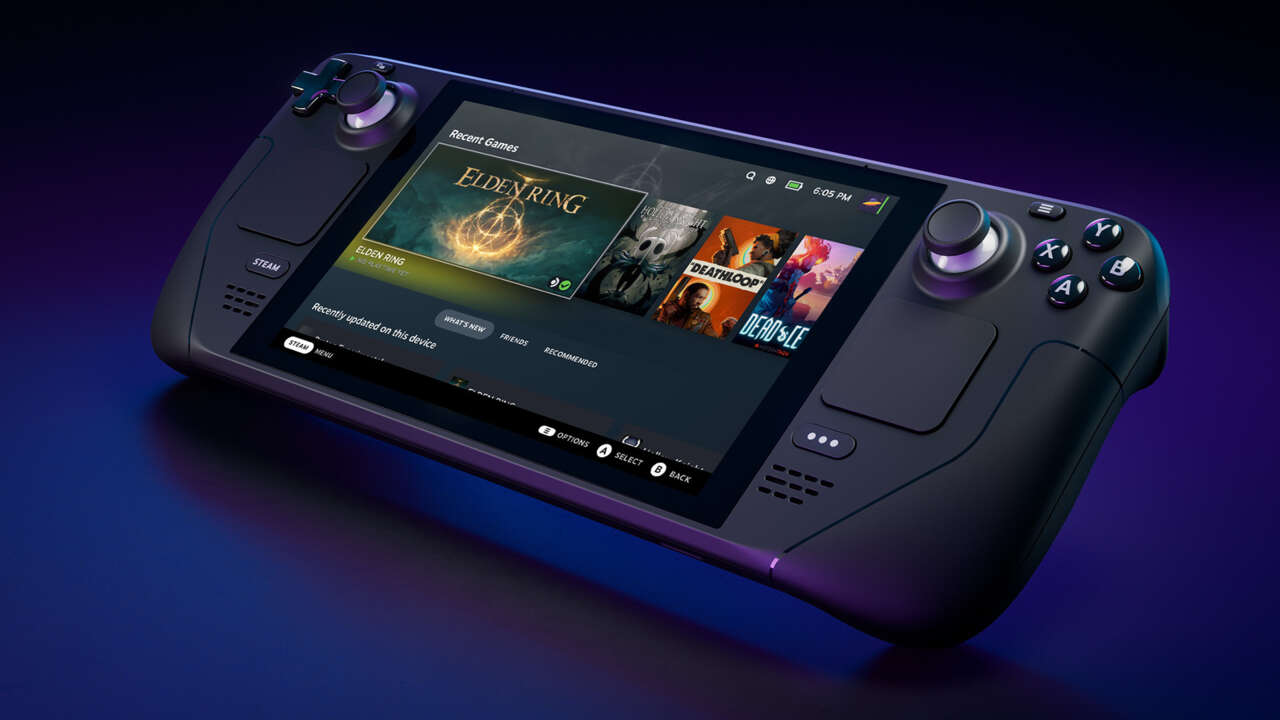
The Steam Deck has received a new software update that adds a lock screen, windows switching, and improves the achievements section on Valve’s handheld PC.
In a blog post, Valve revealed that the Steam Deck now has the option to add a lock screen along with a PIN, so you can keep other people from getting into your Steam Deck. The options allow for the lock screen to appear on wake, boot, login, or when switching to desktop mode, depending on your personal preference.
Size:
Want us to remember this setting for all your devices?
Sign up or Sign in now!
Please use a html5 video capable browser to watch videos.
This video has an invalid file format.
Sorry, but you can’t access this content!
Please enter your date of birth to view this video
By clicking ‘enter’, you agree to GameSpot’s
Terms of Use and
Privacy Policy
Now Playing: Steam Deck – Everything To Know
The update also improved the achievements page, which now loads faster and is easier to navigate. The page also now has the option to quickly compare achievements with friends or check out the global stats for a game and see how you stack up. Valve also added 21 new languages and layouts to the keyboards section of the Steam Deck, with Chinese, Japanese, and Korean keyboards coming in the future.
Steam Deck now supports window switching, which can be used to hop back and forth between different games or web pages. This can be used to switch between multiple games quickly or to go between a game and a web browser.
You can read the full patch notes for the Steam Deck on the official website or below:
Added Lock Screen feature
Added localized keyboards for 21 languages and layouts:
Added support for multiple windows within one application or game.
- Press Steam to view active windows and select which window you would like to view
- Useful for web browsers or games with launchers
- Updated Achievements page design, making it faster to load and easier to navigate
- New achievements drop down allows players to quickly compare stats against any friend who also plays
- Add Friend and Pending Requests have been combined into a single new page for better handling of friend requests
- Added logic to detect and notify user when a microSD card doesn’t match advertised storage size and specifications, instead of attempting to format (for a very long time)
- Fixed issue where Steam and (…) button couldn’t be used with Remote Play when streaming games from PC
- More performance improvements for players with very large game libraries
OS Update:
- Added messaging when a charger that doesn’t meet the minimum bar is plugged in
- Added uncapped framerate setting in Quick Access menu > Performance
- Added Half-Rate Shading experimental option to Quick Access menu > Performance, forcing 2×2 Variable Rate Shading into existing games for power savings
- Added fTPM support, enabling Windows 11 installation
- Added button combo: hold “…” + “Volume Down” to reset PD contract in the cases where Steam Deck gets stuck due to an incompatible Type-C device
- Updated power LED to dim a few seconds after power supply connection events for better experience in dark environments
- Improved compatibility for a number of Type-C docks and PSUs
- Improved battery life in idle or very low usage scenarios
- Improved stability
- Fixed issues where the touchscreen does not work after some boots
- Fixed compatibility with some SD cards specifically when used as boot devices.
- Fixed extra haptic click when pressing on trackpads
- Fixed ACPI error spew in the kernel
Stay connected with us on social media platform for instant update click here to join our Twitter, & Facebook
We are now on Telegram. Click here to join our channel (@TechiUpdate) and stay updated with the latest Technology headlines.
For all the latest Gaming News Click Here
For the latest news and updates, follow us on Google News.